TextBuilder vs ChatGPT: Which Is Better for Writing E-books You Can Sell?

"Why would I pay for an e-book tool when I already have ChatGPT?" A reader asked me this after my last post, and it is a fair question. I use ChatGPT almost every day. So I did a proper test: I made the same e-book twice, once with ChatGPT and once with TextBuilder, and wrote down how long each step took and what I ended up with.
The topic was a beginner's guide to selling printables online, about 40 pages, the kind of product I would actually sell.
TextBuilder is made by people I work with, and links to it are partner links. I still paid attention to what didn't work, and you'll find it below. More on my disclosure page.
The quick answer
For a one-page printable, a checklist or a product description, ChatGPT is enough. For a finished e-book, workbook or guide you want to sell, TextBuilder saved me most of a weekend and gave me a better-looking product. I now use both, for different jobs.
Side by side
| ChatGPT | TextBuilder | |
|---|---|---|
| Made for | Conversations, any task | Complete, publish-ready books |
| Book plan and chapters | You ask for an outline, then chapter by chapter | Built automatically from one topic |
| Long, consistent text | Gets repetitive over many chapters; needs steering | Plans the whole book first, so chapters build on each other |
| Cover | You can generate an image, then design the cover yourself | Designed for you |
| Illustrations and diagrams | One by one, on request | Added to the chapters |
| Formatting | Mostly up to you (Canva, Word or Google Docs) | Title page, copyright, contents, margins done |
| Files | Copy and paste, or simple exports | PDF, EPUB, DOCX and KDP paperback |
| My time for a 40-page guide | About 9 hours | About 2.5 hours (including my own edits) |
Round 1: ChatGPT
I started in ChatGPT with an outline. It gave me a sensible 10-chapter plan in seconds, which was a great start. Then I asked for chapter one. And chapter two. And so on.
Here is where it got slow:
- Length. Each answer was only part of a chapter, so I kept typing "continue" and "make this longer, with examples".
- Repetition. By chapter six it was repeating tips from chapter two and starting each chapter with almost the same sentence. I had to remind it what we had already covered.
- Copy and paste. I copied every chapter into a Google Doc, then fixed headings, lists and spacing that didn't survive the paste.
- Design. I made a cover image with ChatGPT, designed the actual cover with the title in Canva, made a table of contents by hand and laid out the whole thing in a Canva document template. This was the longest part: almost four hours.
The result was decent. But it was a full Saturday of work, and I could see every place where I'd glued pieces together.
Round 2: TextBuilder
In TextBuilder I picked the Beginner's Guide format, typed the topic and two sentences about my reader (busy women, no tech skills, want a small side income) and started it.
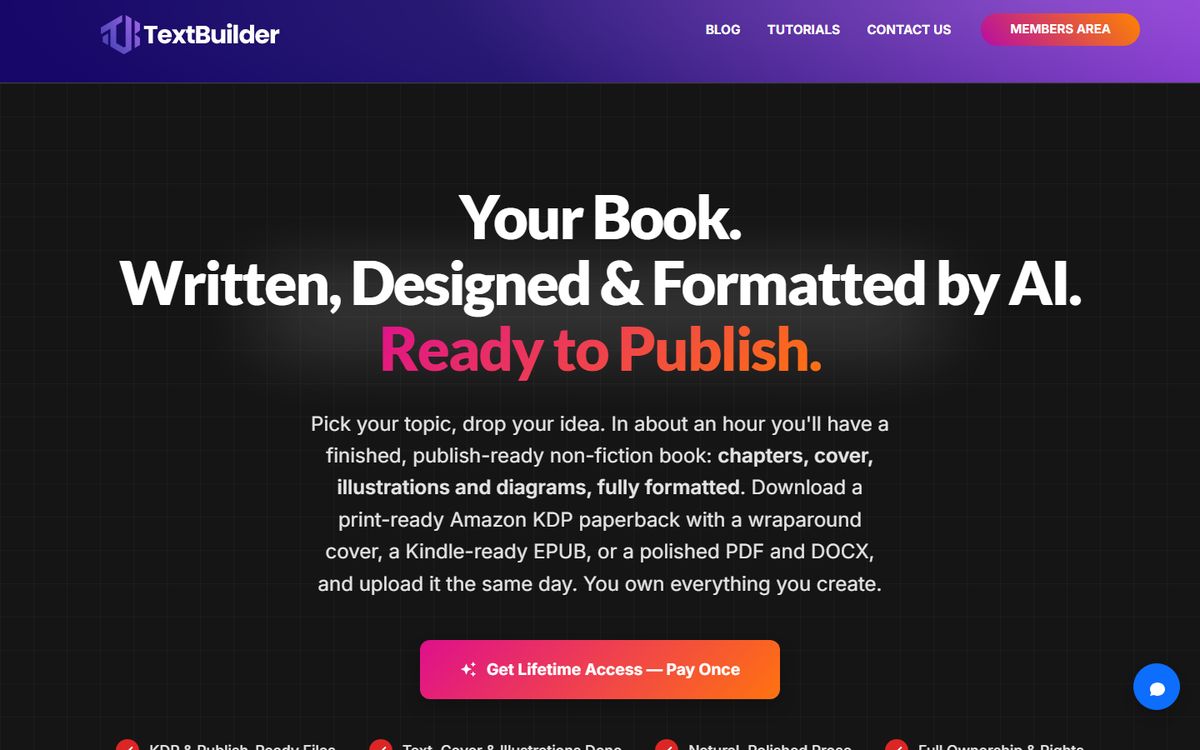
It suggested a title, planned the book and wrote it. Then it designed the cover, added illustrations and a couple of diagrams, and formatted the whole thing with a title page, copyright page and table of contents. I made a pot of tea and answered some messages while it worked; the book was ready in about an hour.
Then I did what I always do: I read it from start to finish in the Word export, added my own stories and numbers, cut a section I didn't agree with and saved the final PDF. That took about an hour and a half.
What was better
- The chapters actually connected. Later chapters referred back to earlier ones instead of repeating them.
- It looked like a real book from the first download. Buyers judge a digital product by its first pages.
- No copy and paste, no Canva layout, no hand-made contents page.
- I could export it as an EPUB and a KDP paperback too, so the same book can go on Amazon.
What wasn't perfect
- A few tips were more general than I would have written. That is why my editing step matters: my own experience is what makes the guide worth buying.
- It is a paid tool, while ChatGPT has a free version. If you only ever make one-page printables, you don't need it.
- It makes books and guides, not planner grids. For calendars and trackers I still use Canva.
Your own experience is the part no tool can add
Whichever tool you use, the book should be worth reading. Google says it doesn't matter how content is made as long as it is helpful, original and made for people, not just to rank (see Google's guidance on AI-generated content). Buyers feel the same way. Both of my test books only became good after I added my own stories, numbers and opinions.
Where to sell an AI-written e-book
This applies to both tools, because a book written by ChatGPT counts as AI-generated just as much as one from TextBuilder:
- Not on Etsy if it teaches people how to do something. Since October 2026 Etsy doesn't allow AI-generated functional guides such as recipes, patterns and instructions (Etsy's announcement).
- Amazon KDP allows it, but you must disclose AI-generated text and images when you publish (KDP content guidelines).
- Payhip, Gumroad or your own site for the PDF, with an honest line in the description about how it was made.
When ChatGPT is the right choice
- Brainstorming product ideas and niches.
- Product titles and descriptions (always rewrite them in your own words).
- One-page checklists, journal prompts and word lists for worksheets.
- Answering buyer messages politely when you are tired.
When TextBuilder is the right choice
- E-books and how-to guides.
- Workbooks and checklist books.
- Recipe e-books (with your own tested recipes; here is how I made mine).
- Mini courses and study guides.
- Free lead magnets for your email list, from 5 pages up.
- The same book in other languages; it writes in 50+.
The money side
A 40-page guide sells for $9 to $12. ChatGPT cost me a Saturday per book; TextBuilder cost me an afternoon. If you want 10 or 20 products, which is roughly when digital products start to feel like real income, the hours add up fast. For me, the time I got back was worth more than the subscription.
My verdict
ChatGPT is a brilliant helper. TextBuilder is a book maker. If you want to sell e-books, workbooks or guides, let TextBuilder build the book, use ChatGPT for the small jobs around it, and spend your own time on the part no AI can do: adding what you know.
Try TextBuilder for your first e-book
See the other tools I use in my list of the best AI tools for making digital products, or read my older TextBuilder review.